API simulator For developers and QA

API simulation for the tests you already run.

Reproduce the API conditions your users actually hit, without the live vendor. Gostly is self-hosted API simulation software: set up errors, slow responses, state changes and expiry, then see how your application responds.

14-day Pro trial. Runs on Docker Compose in your environment. See pricing · Read the quickstart

  • Self-hosted
  • Runs on Docker Compose
  • Built from real API traffic
  • Your test data, your control
  • Use the tests you already run

Give your software a world you can control.

Fieldwork
AppointmentsSite inspections

New appointment

Book a site inspection

On site 30 minutes

Parkside HouseBuilding 2 · Common areas
Site inspection
PS
Parkside Service TeamSafety and maintenance review
30 min
Wednesday, November 11Available appointments
Choose a time

Your selected time is held for 2 minutes.

Gostly API inspector

POST /bookings
Hold H-104

Fixture responses

Waiting for booking

Start from the job you have.

  • GET /orders/1042 answers no answerthe service does not exist yet

    The orders API is not built yet, so the screen has nothing to show.

    Build before the API is ready.

    Build the client against the HTTP responses and state changes you expect while the upstream service is still taking shape.

    Build before dependencies are ready

  • CI run against the vendor sandbox answers passed · 3 of 3 checks

    CI run against the mock answers passed · 3 of 3 checksanswered from your reviewed responses

    Both runs pass while the sandbox is up. Take it down.

    Run the same API conditions in CI.

    Carry reviewed API inputs and a clear application assertion from a local fix into review and your existing CI suite.

    Keep useful cases through development and CI

Optional · Full stack

Train a model to simulate any API or service.

The model learns from the HTTP exchanges between your application and the service, whoever runs it: a payment provider, a partner, another team. Choose the exchanges you have reviewed, train a small adapter on your own compute, and attach the version you choose. Every answer says whether it was stored, retrieved or generated.

  • Full stack
  • Your own compute
  • Reviewed examples

See how a model is trained

  1. 1Choose traffic (current)
  2. 2Train a version
  3. 3Attach adapter

Service + URI filter

ServiceDemo API

URI filter/gostly-demo/anything/*

ExchangesThe ones you reviewed

Put the hard paths on the schedule.

Pick the behavior your test needs to see. Start with an authored response or a reviewed capture, then shape how the simulated API answers the next request.

Force the error branch

Give the client a slow or unavailable service on demand. Check what the user sees and whether the client verifies the outcome before trying the write again.

Explore failure injection

POST /payments answers 201 Created · 38 msanswered from the mock library

The happy path. Pick the failure your test needs.
Make the next call remember

Model a transition, such as moving a reservation from held to confirmed. Check that the client’s next read reflects the state change.

Explore stateful workflows

GET /orders/1042 answers 200 · {"status": "open"}the same order, the state it is in now

Order 1042 is open. Cancel it, then read it again.

Reach the expiry boundary

Advance simulated API time in a supported scenario. Send the next request and check how the client reacts to the new state.

Explore Time Chamber

Simulated API time09:00:00

GET /reports answers 429 Too Many Requests · Retry-After: 60

The API asks for a 60-second wait. Move its clock instead.

Test expiry without waiting for it.

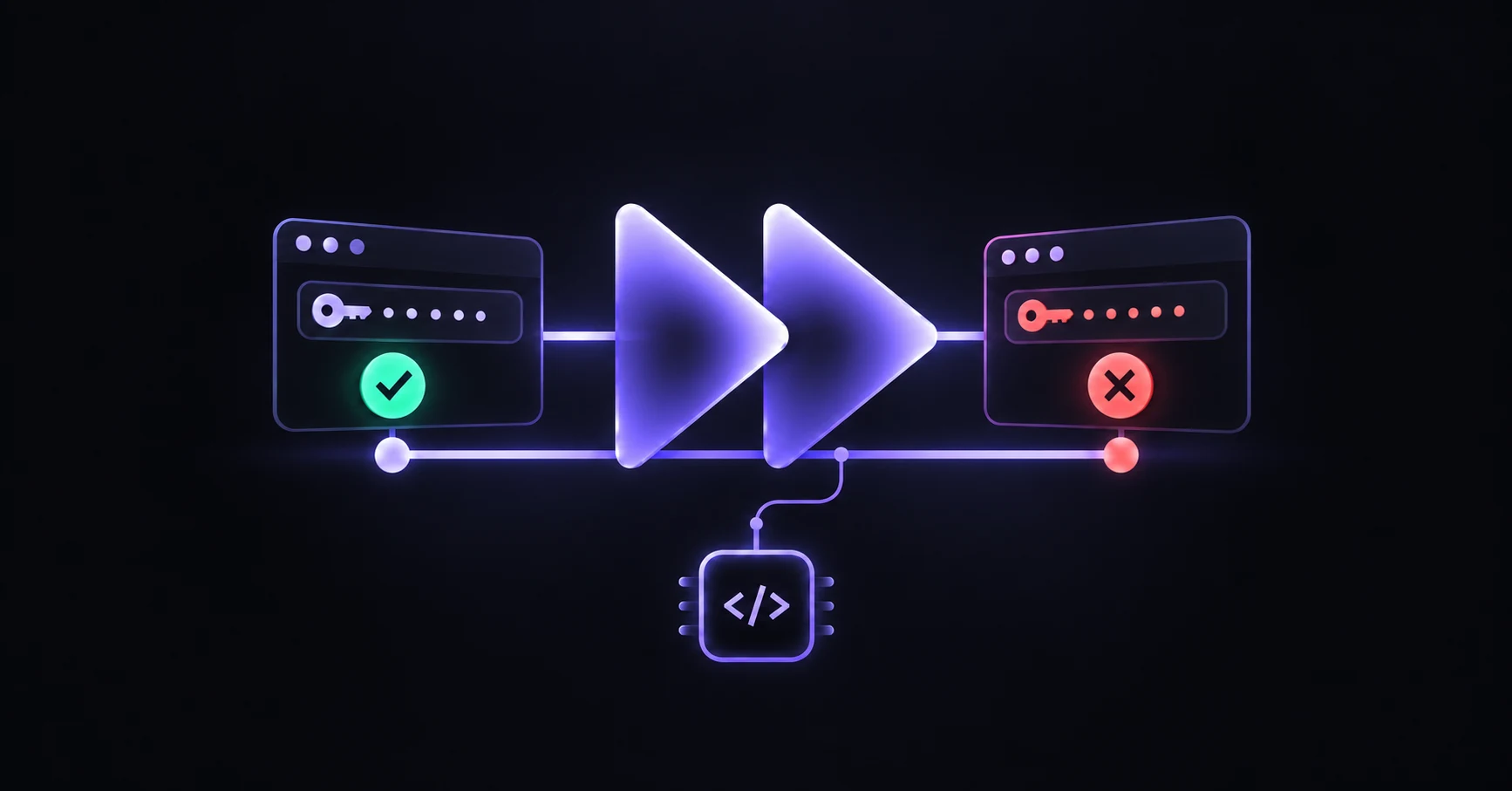
Compare a request just before token expiry with the same request after it. Advance the API clock in Time Chamber, then reset the scenario when you need to run it again.

Walk through a rate-limit recovery

A fast-forward symbol connects a valid key to an expired key.
Time Chamber controls configured simulated API behavior; it does not fast-forward your application’s clock.

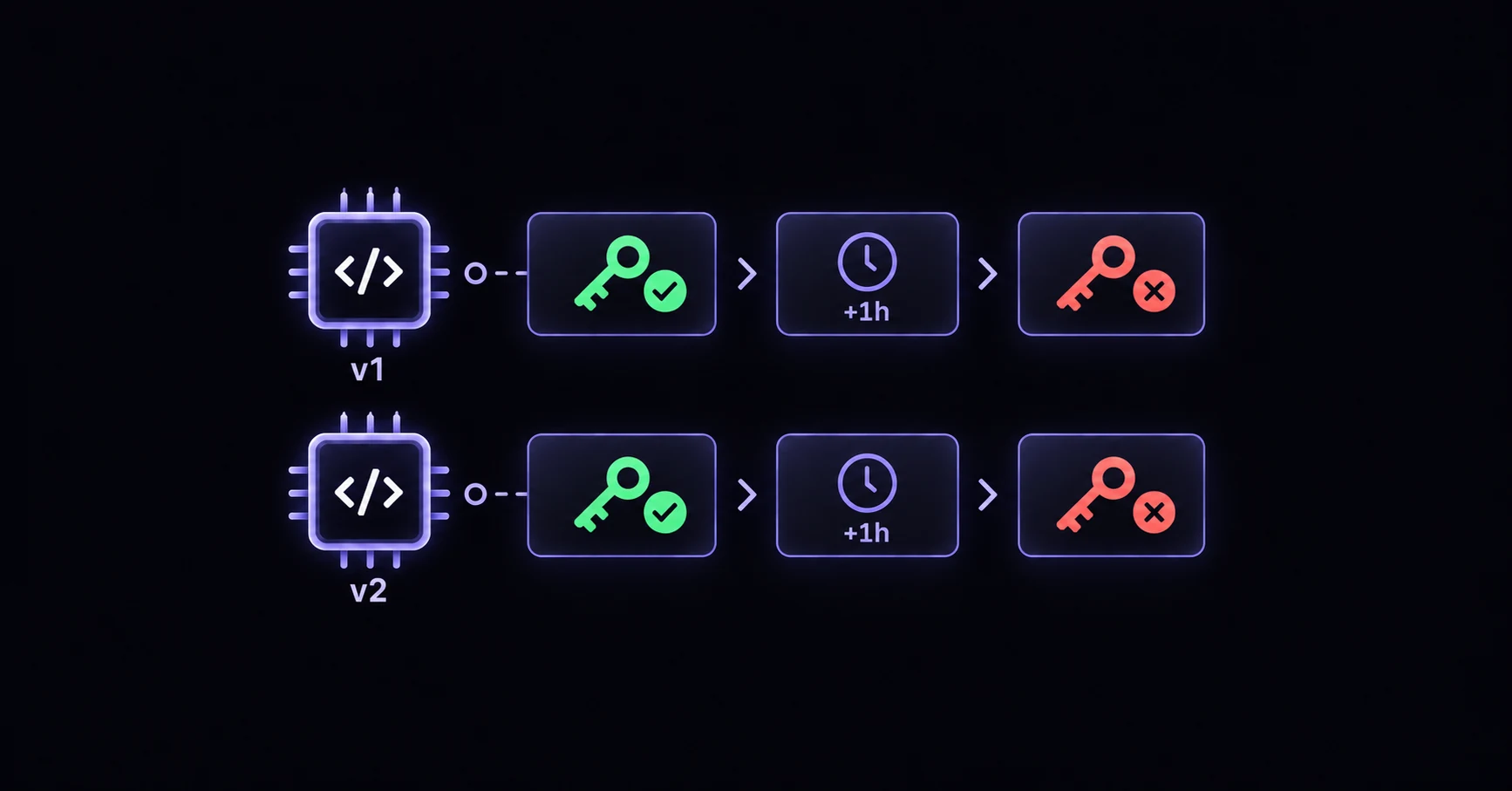
New agent. Same test world.

Give each version the same API scenario. Compare how it handles failures, delays, and expiry in your own eval harness.

See how to test an agent’s tool calls

Agent versions v1 and v2 face the same valid-token, one-hour, expired-token sequence.
Same scenario definition. Separate runs. Your own assertions.

An HTTP API simulator you run yourself.

Where the responses come from

Start from real API traffic or from responses you write, then shape how the simulated API answers the next request.

Read the quickstart

API testing when the vendor’s sandbox is down

In MOCK mode Gostly answers from the response library you prepared and does not call the upstream API, so API integration tests do not wait on the sandbox.

Keep useful cases through development and CI

Who holds the data

Gostly is self-hosted and runs in your environment. In LEARN mode it calls your configured upstream. Connected editions also validate licenses and can send allowlisted operational telemetry.

Review where your test data goes

FAQ

Is this an eval framework?

Gostly is an API simulation platform: it supplies the simulated APIs around your application or agent. Use your existing test runner or eval harness for assertions and scoring.

Does simulated time change my application clock?

No. Time Chamber advances virtual time used by supported API scenarios. Your application’s operating-system clock and timers are separate.

Can Gostly answer a request it has no saved response for?

It can, as an option. On the Full stack you can train a small model on one service’s reviewed exchanges and let it generate an answer. The answer is labeled as generated, and your own checks decide whether it is right. Without that option a missing response stays a miss.

How do I get started?

Start your 14-day Pro trial; no credit card is needed. You need Docker with Compose, git and curl. Use the install guide in Resources below to prepare your local environment. Begin with one API dependency, or with the bundled demo API. Follow the Time Chamber setup guide to configure expiry scenarios. Active episodes end when the runtime restarts.

Resources

Go deeper on API simulation

Work through a rate-limit recovery

Inspect a saved scenario, advance API time, retry the request and reset the starting conditions.

Explore the walkthrough

Set up Time Chamber for an API you call

Prepare a controlled API environment and keep its clock separate from your application's timers.

Time Chamber setup

Prepare your local environment

Review the Docker Compose requirements and install Gostly before trying a scenario with your own application.

Read the install guide

Put your next release to the test.